Build the website. Get the iPhone and Android apps.
PMTC compiles the components you build from Pyreon's primitives into SwiftUI for iOS and Jetpack Compose for Android. Your buttons, fields and lists become the platform's own views, with no JavaScript engine shipped to draw them. Experimental, and we mean it.
npm create @pyreon/multiplatform@latest my-app - targets
- web · iOS (SwiftUI) · Android (Jetpack Compose)
- on the device
- SwiftUI and Compose viewsNo JavaScript engine renders your UI. A
<WebView>appears only where you put one. - feedback
- 1–9 msto compile the shared source in memory:
pyreon-native checknames what won't compile before Xcode opens. - status
- experimentalWhat is proven on a device is listed in the public matrix on the multiplatform page.
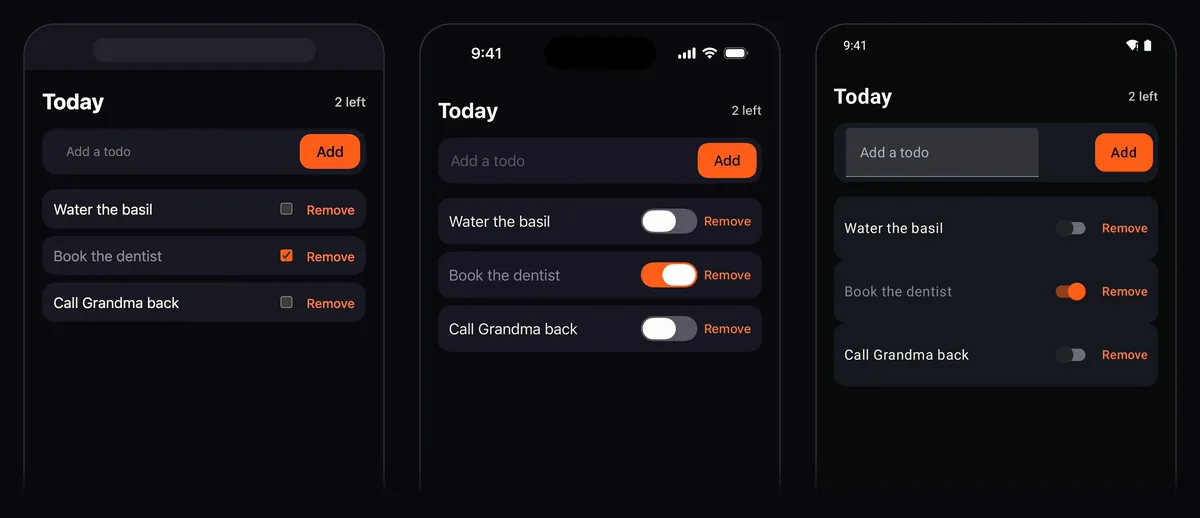
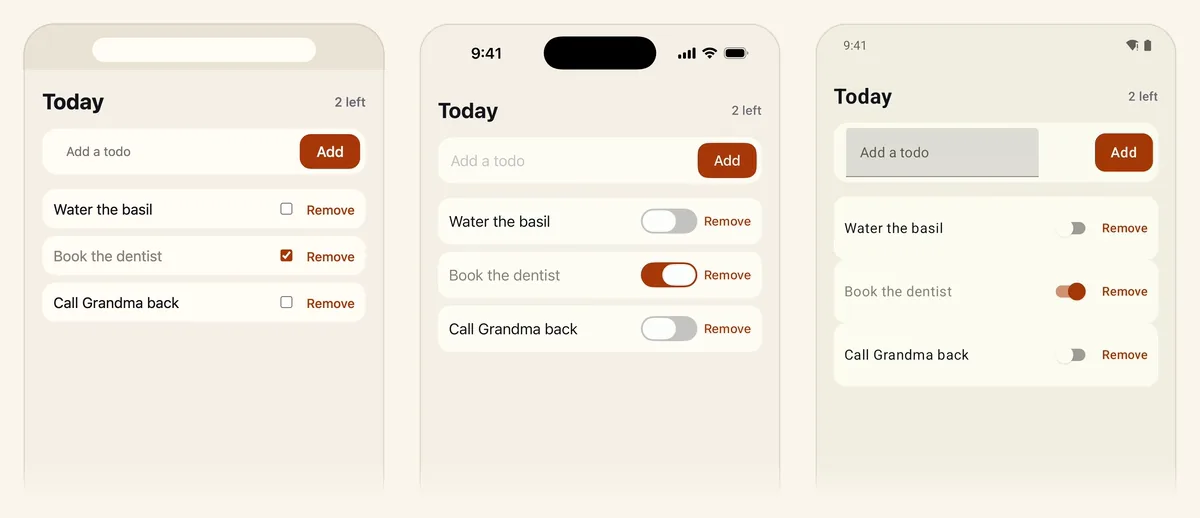
- Web · server-rendered HTML, hydrated
- iOS · generated SwiftUI
- Android · generated Compose, experimental
- 22 canonical primitives in the next release (17 today), each with a web runtime and a SwiftUI and Compose emitdocs/src/content/docs/primitives.md; facts.md (22 canonical primitives)
- ≈ 3 s from saving a .tsx file to the scaffolded app relaunched on the iOS simulator (warm, author-measured)docs/src/content/docs/native-dev-loop.md "Measured timings" (Apple-silicon Mac, iOS 18.5 simulator)
- 4 required CI checks on every native change: real Xcode and Gradle builds that run UI tests on an iOS Simulator and an Android emulator, plus Swift and Kotlin emit validationdocs/src/content/docs/multiplatform.md status note; .github/workflows/native-device.yml
synthetic · author-run · M3 Max · record of 2026-11-05
Every result, including where we lose →Not a web page in an app costume.
The platform's own views
A generated
Toggleis the iOS toggle and the Android switch, so the next OS redesign reaches your app without a Pyreon release.<Stack>becomesVStackandColumn;<Field>becomesTextField.Signals become platform state
signal()andcomputed()compile to@Stateand@Observableon iOS, andmutableStateOfandderivedStateOfon Android. There is no re-render model to learn or work around, on the web or on the device.Errors that name the problem
Code outside the native subset almost always gets a warning that names the construct and the file, often the line too, in milliseconds, before Xcode or Gradle runs.
--typecheckadds a realswiftcpass on macOS.Plain TypeScript keeps compilingnext release
effect(),setTimeoutandsetInterval,Date, string and numericenums,try/catchand a typedJSON.parsenow lower to Swift and Kotlin instead of stopping the build.
The same screen, written twice by hand, or once.
Two languages, two state models, two places to fix every bug. This is PMTC's real output for the file on the right, imports left out.
// iOS: SwiftUI
struct Todo: Codable {
  var id: Int
  var text: String
}

struct TodoApp: View {
  @PyreonAppStorage("todos") private var todos: [Todo] = []
  @State private var draft: String = ""
  private func add() {
    todos = (todos + [Todo(id: Int(Date().timeIntervalSince1970 * 1000), text: draft)])
    draft = ""
  }
  private func remove(_ id: Int) { todos = todos.filter({ t in t.id != id }) }
  var body: some View {
    VStack(spacing: 12) {
      TextField("What needs doing?", text: $draft)
      Button("Add") { add() }
      ForEach(todos, id: \.id) { t in
        HStack(spacing: 8) {
          Text(verbatim: "\(t.text)")
          Button("Remove") { remove(t.id) }
        }
      }
    }
  }
}

// Android: Jetpack Compose
@Serializable
data class Todo(var id: Long, var text: String)

@Composable
fun TodoApp() {
  var todos by rememberPyreonStorage<List<Todo>>("todos", listOf())
  var draft by remember { mutableStateOf("") }
  fun add() {
    todos = (todos + listOf(Todo(id = System.currentTimeMillis(), text = draft)))
    draft = ""
  }
  fun remove(id: Long) {
    todos = todos.filter({ t -> t.id != id })
  }
  Column(verticalArrangement = Arrangement.spacedBy(12.dp)) {
    TextField(value = draft, onValueChange = { text -> draft = text }, placeholder = { Text("What needs doing?") }, singleLine = true)
    Button(onClick = { add() }) {
      Text("Add")
    }
    LazyColumn {
      items(todos, key = { it.id }) { t ->
        Row(horizontalArrangement = Arrangement.spacedBy(8.dp)) {
          Text(text = "${t.text}")
          Button(onClick = { remove(t.id) }) {
            Text("Remove")
          }
        }
      }
    }
  }
}What you write. The same file also renders on the web.
import { signal } from '@pyreon/reactivity'
import { For } from '@pyreon/core'
import { useStorage } from '@pyreon/storage'
import { Stack, Inline, Text, Field, Button } from '@pyreon/primitives'

type Todo = { id: number; text: string }

export function TodoApp() {
  const todos = useStorage<Todo[]>('todos', [])
  const draft = signal('')

  const add = () => {
    todos.set([...todos(), { id: Date.now(), text: draft() }])
    draft.set('')
  }
  const remove = (id: number) => todos.set(todos().filter((t) => t.id !== id))

  return (
    <Stack gap="md">
      <Field value={draft()} onChangeText={(text) => draft.set(text)} placeholder="What needs doing?" />
      <Button onPress={add}>Add</Button>
      <For each={todos()} by={(t) => t.id}>
        {(t) => (
          <Inline gap="sm">
            <Text>{t.text}</Text>
            <Button onPress={() => remove(t.id)}>Remove</Button>
          </Inline>
        )}
      </For>
    </Stack>
  )
}Three steps from TSX to the App Store build.
- step 1
You write TSX
Primitives, signals and the Pyreon packages you already use on the web. One
src/App.tsx. - step 2
PMTC compiles it
At build time the compiler emits Swift for iOS and Kotlin for Android. A construct it can't lower almost always gets a named warning, in milliseconds.
- step 3
Xcode and Gradle build it
The generated source links against small Swift and Kotlin runtimes. What lands on the phone is a SwiftUI or Compose app. No JavaScript engine draws its screens.
The parts of your app that come along.
Anything bound to the DOM (a code editor, a rich-text editor) stays on the web, or runs inside a WebView with a two-way data bridge.
The canonical primitives (22 in the next release) → SwiftUI and Compose views.
signal, computed and effect → platform state.
Nested routes, guards, loaders and inbound deep links.
Validated forms, proven on device.
Stores, models and state machines.
Translations and access rules.
Persisted signals on the platform's own storage, on iOS and Android.
Every chart family, drawn natively.
useClipboard, useColorScheme, useFetch, useOnline and more.
A native overlay over the same toast() queue.
Collection transforms lower to native operations.
styled(), rocketstyle, Element and coolgrid patterns lower too.
Fast enough to stay in flow.
Measured on an Apple-silicon Mac with the iOS 18.5 simulator and the scaffolded app. pyreon-native check --watch answers "will this run on the device?" without opening Xcode.
- compile the shared source
- 1–9 ms
- edit, rebuild, reinstall, relaunch
- ≈ 3 s
- first run, from nothing to a running simulator
- ≈ 31 s
- comment-only edits skip the native build
- 0 s
Six packages, all on npm.
The runtimes ship as Swift and Kotlin source through npm, so the Pyreon side of your native targets resolves from the same lockfile as the web app. npm create @pyreon/multiplatform@latest wires it all up.
PMTC itself: TSX in, SwiftUI and Compose out.
The pyreon-native binary: build, check, dev, assets, wire.
Core iOS runtime: tokens, HTTP, JSON, charts engine.
The Android twin, plus storage backends.
The router API on NavigationStack.
The router API on Compose state.
Coming from React Native / Expo or Flutter?
A counter
import { useState } from 'react'
import { Pressable, Text } from 'react-native'

export function Counter() {
  const [n, setN] = useState(0)
  return (
    <Pressable onPress={() => setN(n + 1)}>
      <Text>{n}</Text>
    </Pressable>
  )
}Your JSX habits carry over; the component runs once and only the text updates. Expo is ahead where it counts for some teams: over-the-air updates (compiled native code cannot be patched that way), a much larger native SDK catalog and hosted builds. Pyreon gives you the platform's own SwiftUI and Compose views with no JavaScript engine, and a server-rendered website from the same source.
import { signal } from '@pyreon/reactivity'
import { Press, Text } from '@pyreon/primitives'

export function Counter() {
  const n = signal(0)
  return (
    <Press onPress={() => n.set(n() + 1)}>
      <Text>{n()}</Text>
    </Press>
  )
}
The same counter
import 'package:flutter/material.dart';

class Counter extends StatefulWidget {
  const Counter({super.key});

  @override
  State<Counter> createState() => _CounterState();
}

class _CounterState extends State<Counter> {
  int n = 0;

  @override
  Widget build(BuildContext context) {
    return TextButton(
      onPressed: () => setState(() => n++),
      child: Text('$n'),
    );
  }
}Flutter draws its own pixels and leads on animation, desktop and maturity: its mobile targets are production, ours are experimental. Pyreon emits the platform's own widgets, so an OS redesign arrives for free, and the web build is real HTML with server rendering and SEO rather than a canvas.
import { signal } from '@pyreon/reactivity'
import { Press, Text } from '@pyreon/primitives'

export function Counter() {
  const n = signal(0)
  return (
    <Press onPress={() => n.set(n() + 1)}>
      <Text>{n()}</Text>
    </Press>
  )
}Same component, three targets.
Pick a primitive and see what each platform gets. The output is abridged; the real emit adds tokens, accessibility and modifiers.
<Stack gap="md">
  <Text>Hello</Text>
  <Text>World</Text>
</Stack><div style="display:flex;
flex-direction:column;
gap:12px">
<span>Hello</span>
<span>World</span>
</div>VStack(spacing: 12) {
Text("Hello")
Text("World")
}Column(
verticalArrangement =
Arrangement.spacedBy(12.dp)
) {
Text("Hello")
Text("World")
}Simulated: abridged output shown for illustration, not compiled live in this page. The real emit adds tokens, accessibility and modifiers.
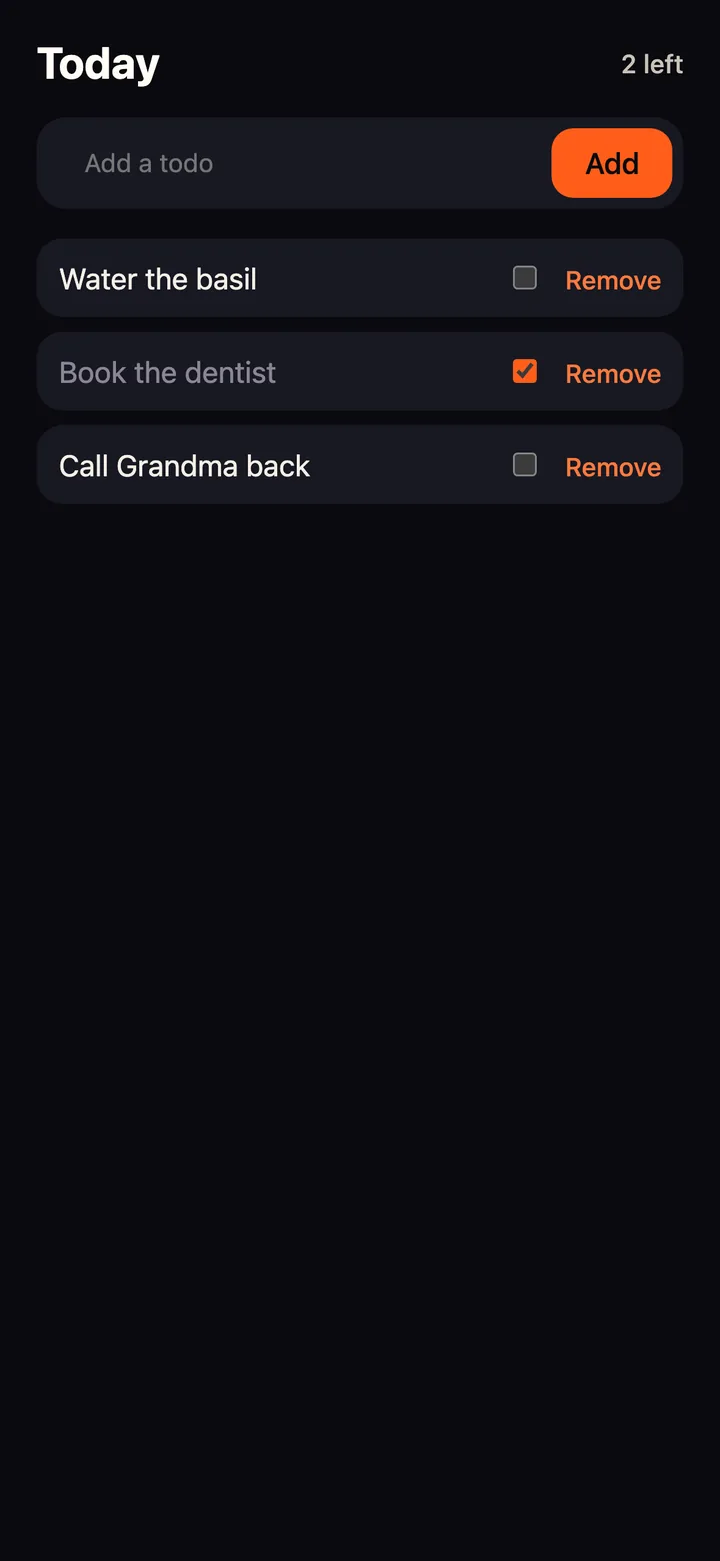
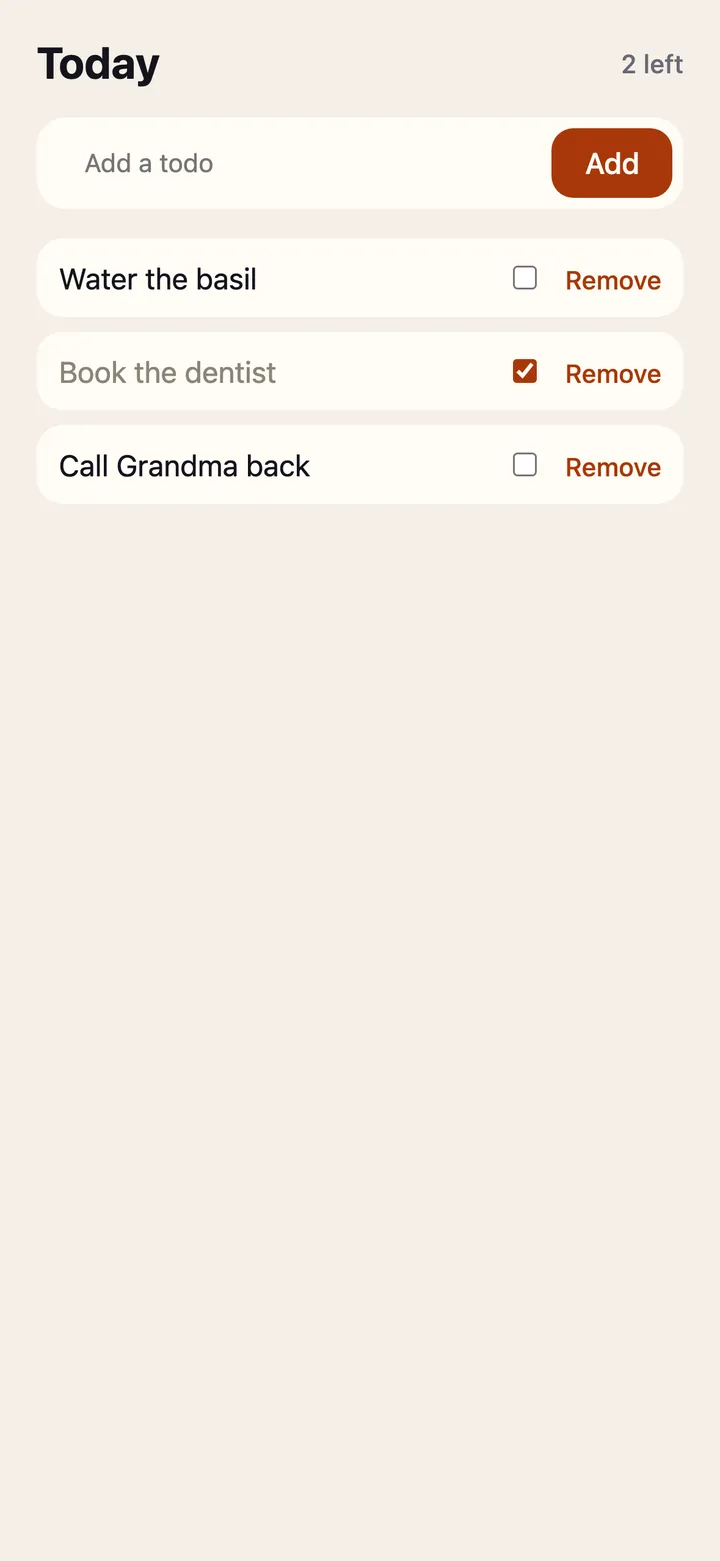
Web · Chromium 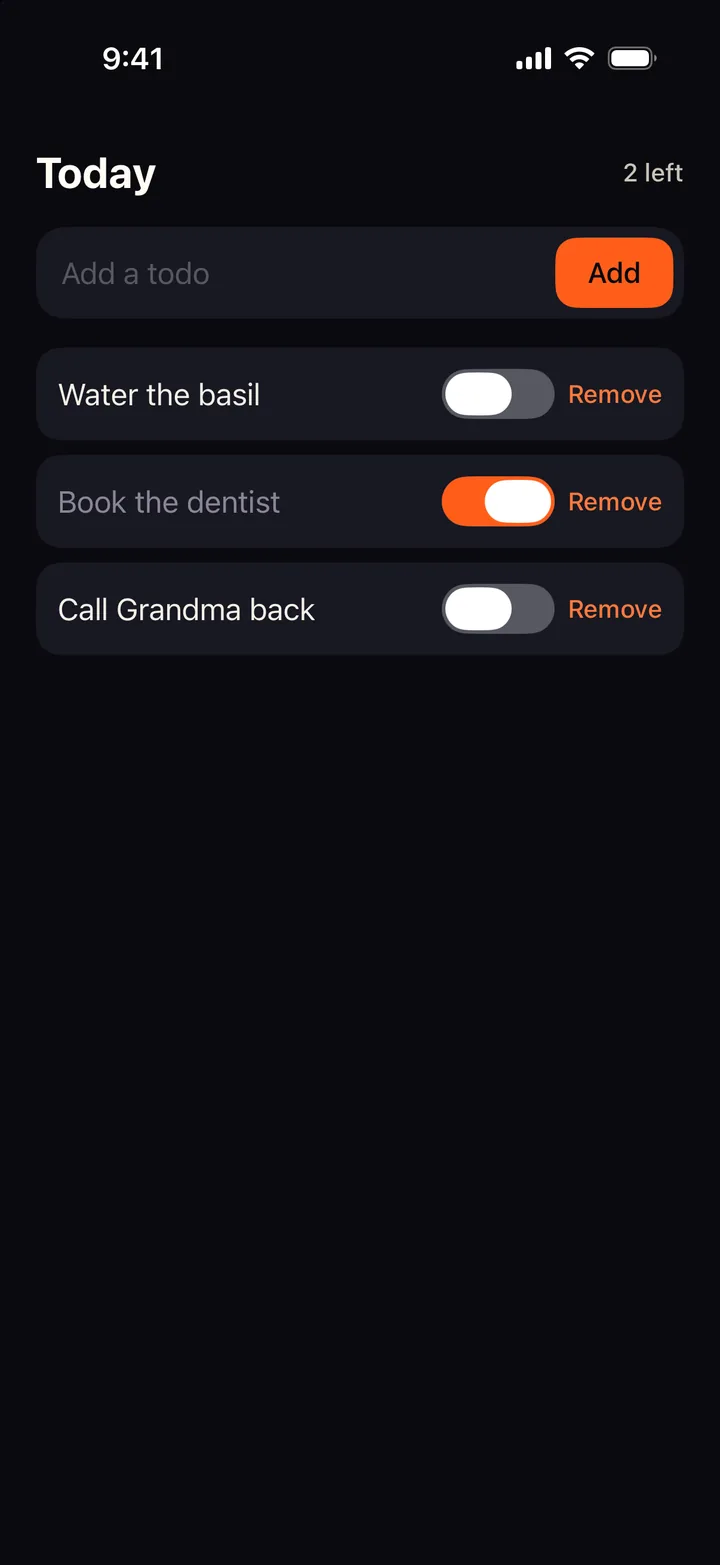
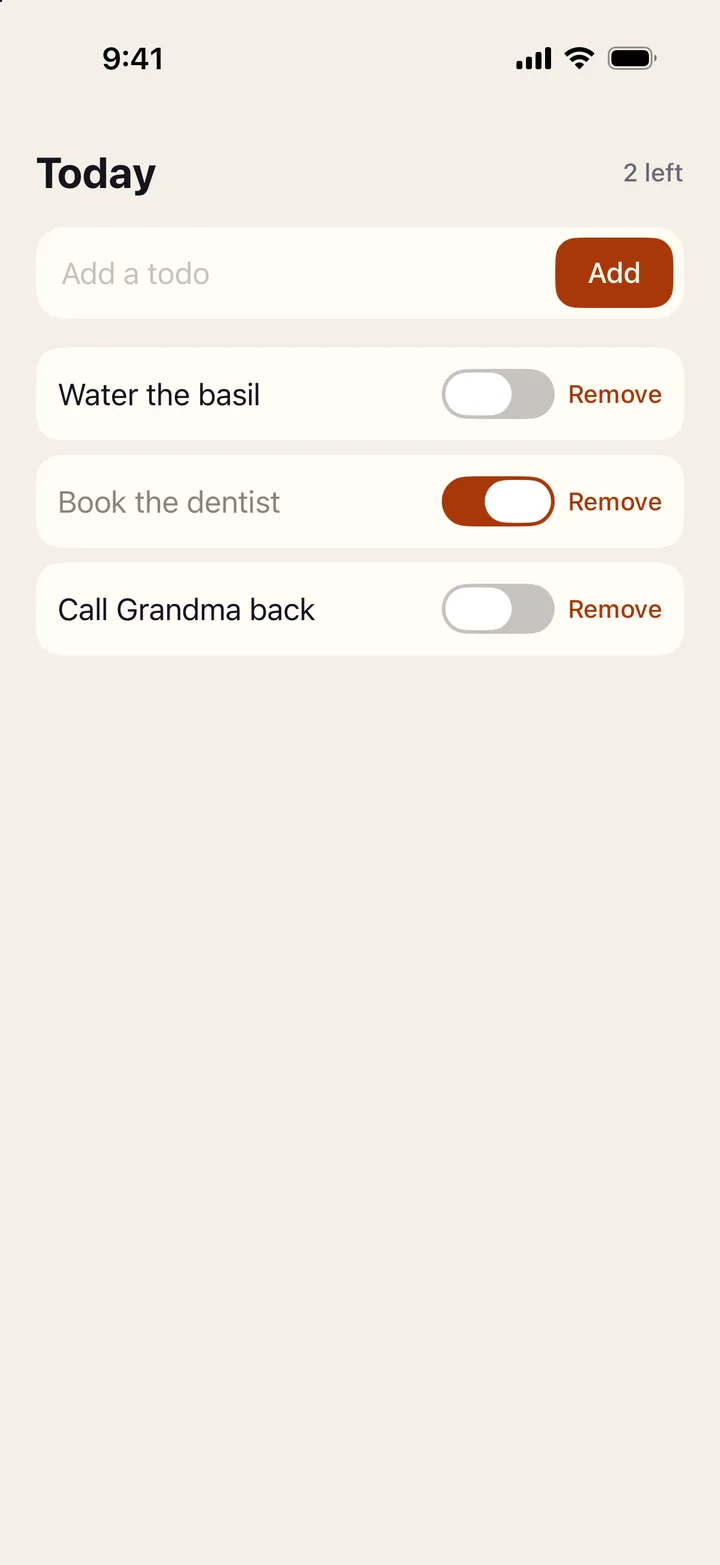
iOS · SwiftUI 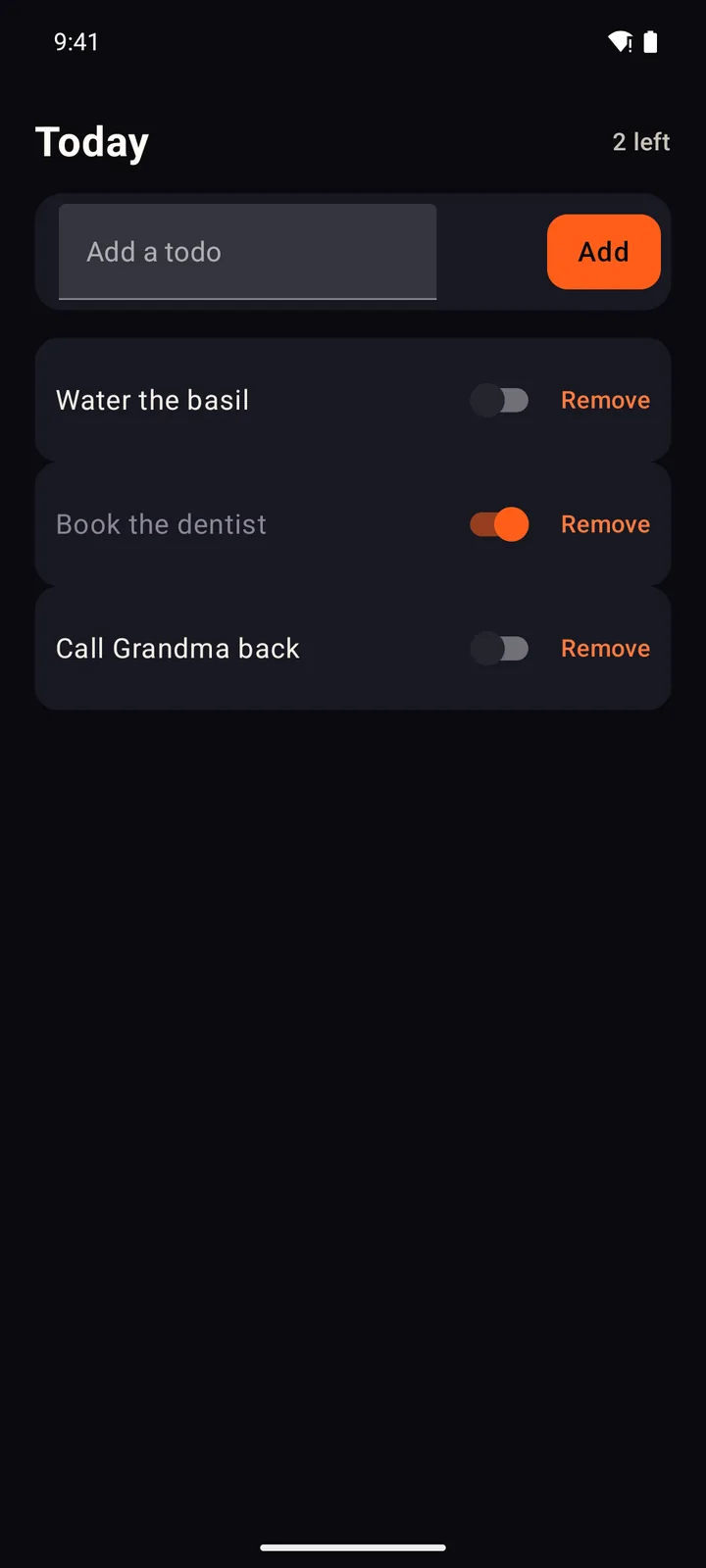
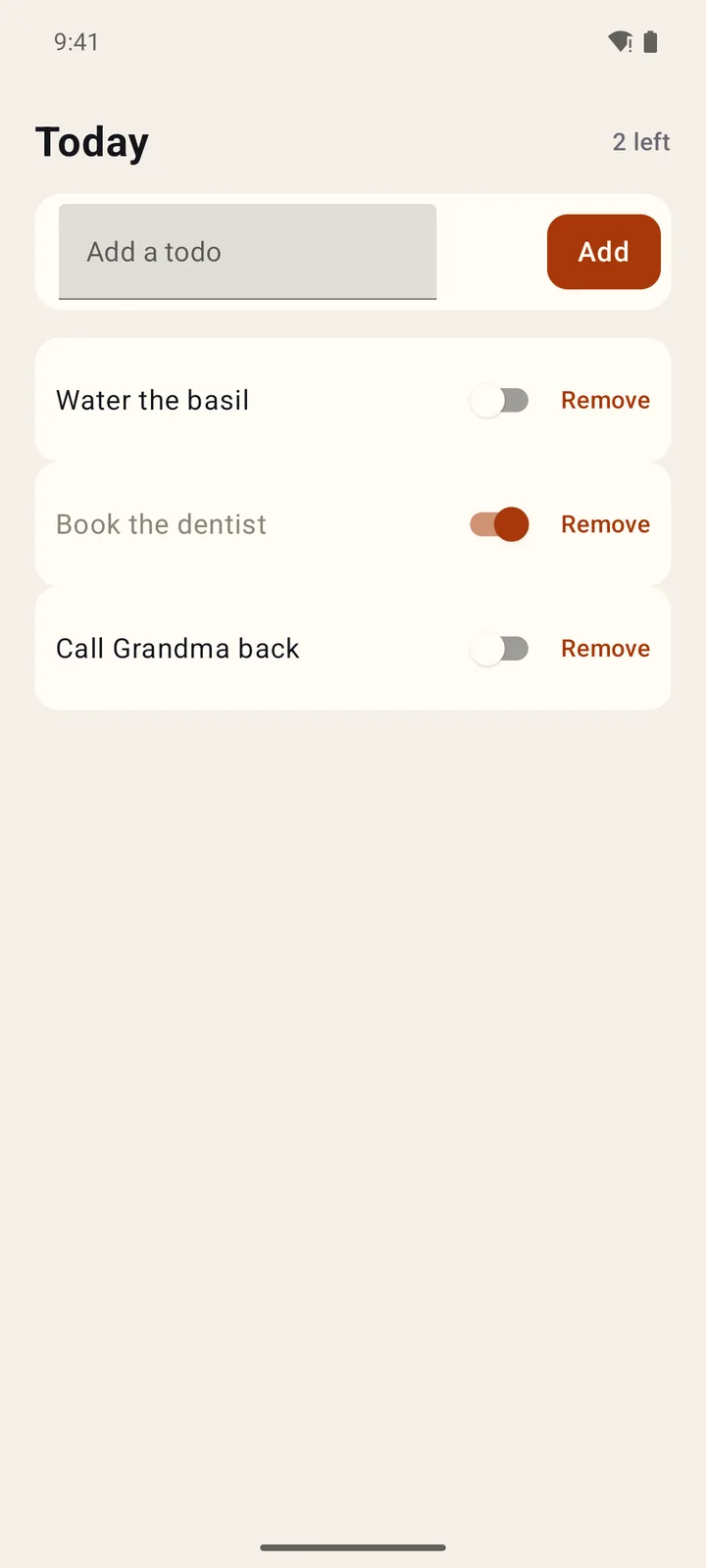
Android · Compose
Everything between your TSX and the store build.
- npm create @pyreon/multiplatform@latest scaffolds the web, iOS and Android projects in one repo, deep-link scheme included
- Canonical primitives, from
StacktoVideo, each a SwiftUI and a Compose view; the next release brings the set to 22 <Select>and date and time<Field>snext release with each platform's own picker- pyreon-native check --watch answers "will this run on the device?" in milliseconds
- pyreon-native dev rebuilds, reinstalls and relaunches the simulator app in about 3 s (warm)
- Module-scope signalsnext release become one observable singleton per file
- useNativeModule calls a Swift or Kotlin class you write, and the platform compiler type-checks the calls
- A two-way
<WebView>hosts web-only pieces such as a code editor inside the native app - The native router: nested routes, guards, loaders and inbound deep links, cold and warm
- Device-tested in CI: XCUITest on an iOS Simulator and Compose UI tests on an Android emulator gate every native change
Things to build with it.
Timers lower to a small PyreonTimers runtime: main-thread callbacks after at least ms, and on iOS the timer keeps firing while the user scrolls, as in a browser. Start it in onMount and return the cleanup.
import { signal, computed } from '@pyreon/reactivity'
import { onMount } from '@pyreon/core'
import { Stack, Text, Button } from '@pyreon/primitives'

export function Countdown() {
  const left = signal(10)
  const done = computed(() => left() === 0)

  onMount(() => {
    const id = setInterval(() => {
      if (left() > 0) left.set(left() - 1)
    }, 1000)
    return () => clearInterval(id)
  })

  return (
    <Stack gap="md">
      <Text>{done() ? 'Lift off' : `T-minus ${left()}`}</Text>
      <Button onPress={() => left.set(10)}>Restart</Button>
    </Stack>
  )
}Module-scope signals become one observable singleton for the file (@Observable on iOS, an object with mutableStateOf on Android), so every component in the file that reads them updates. The string enum becomes a native enum.
import { signal, computed } from '@pyreon/reactivity'
import { Stack, Inline, Text, Button } from '@pyreon/primitives'

enum Plan {
  Free = 'free',
  Pro = 'pro',
}

// Shared by every component in this file: one observable singleton natively.
const plan = signal<Plan>(Plan.Free)
const seats = signal(1)
const monthly = computed(() => (plan() === Plan.Pro ? 12 * seats() : 0))

export function PriceBadge() {
  return <Text>{`$${monthly()} a month`}</Text>
}

export function PlanPicker() {
  return (
    <Stack gap="md">
      <Inline gap="sm">
        <Button onPress={() => plan.set(Plan.Free)}>Free</Button>
        <Button onPress={() => plan.set(Plan.Pro)}>Pro</Button>
      </Inline>
      <Button onPress={() => seats.set(seats() + 1)}>Add a seat</Button>
      <Text>{`${seats()} seats`}</Text>
      <PriceBadge />
    </Stack>
  )
}JSON.parse with a cast becomes a typed, throwing decode (JSONDecoder on iOS, kotlinx-serialization on Android), and try/catch maps one to one. Malformed JSON lands in the catch on every target; natively the decode is stricter, so a wrong-shaped list lands there too.
import { signal } from '@pyreon/reactivity'
import { Stack, Field, Text, Button } from '@pyreon/primitives'

type Contact = { name: string; email: string }

export function ImportContacts() {
  const raw = signal('')
  const count = signal(0)
  const problem = signal('')

  const importNow = () => {
    try {
      const list = JSON.parse(raw()) as Contact[]
      count.set(list.length)
      problem.set('')
    } catch (e) {
      problem.set('That is not a contact list')
    }
  }

  return (
    <Stack gap="md">
      <Field value={raw()} onChangeText={(t) => raw.set(t)} placeholder="Paste JSON" />
      <Button onPress={importNow}>Import</Button>
      <Text>{problem() === '' ? `${count()} contacts` : problem()}</Text>
    </Stack>
  )
}Five names in your code, six packages underneath.
Every export has a reference page with its signature, an example and the mistakes people make with it.
- useNativeModule
- WebView
- NativeIOS
- NativeAndroid
- Web
- @pyreon/native-compiler
- @pyreon/native-cli
- @pyreon/native-runtime-swift
- @pyreon/native-runtime-kotlin
- @pyreon/native-router-swift
- @pyreon/native-router-kotlin
Good to know before you start.
Experimental, and the matrix says how much
Each area is credited only for behaviour asserted on a simulator or emulator, and a CI gate keeps the headline equal to the table. Check it on the multiplatform page before you plan a release around it.
A subset of TypeScript compiles
Signals, typed props, the primitives, <For>/<Show> and the supported hooks lower. Run pyreon-native check while you write, and keep the rest in web-only files.
No over-the-air code updates
Native logic is compiled, so fixes ship through the stores. Data-driven config and <WebView> content are the ways to change behaviour between releases.
A rebuild loop, not hot reload
Native changes restart the app and reset in-memory state. Iterate on UI in the web build, where hot reload works.
Packages compile only with a port
PMTC lowers your source, not arbitrary npm packages. DOM-bound libraries stay on the web or run inside a <WebView>.
What people ask first.
Is there a JavaScript engine on the phone?
Not for your UI or your logic: the build is Swift and Kotlin source compiled by Xcode and Gradle. A <WebView> you place on purpose (to host a code editor, say) runs web content inside the system web view, like any native app's.
Can I ship a store app with it today?
The native targets are experimental. Screens that are mostly forms, lists, navigation and data are the strong part; heavy animation and a long list of third-party SDKs are not. The matrix on the multiplatform page states what is proven on a device.
What happens when I write something it can't compile?
You almost always get a warning that names the construct and the file (often the line too), from pyreon-native check or the editor through pyreon-native check --lsp. It does not try to run unsupported code on the device.
How do I call a native SDK it doesn't wrap?
Write a Swift or Kotlin class in your app and call it with useNativeModule('Name'). Member calls pass straight through, so Xcode and Gradle type-check them. It is more glue than installing an Expo module.
Do I need a Mac?
For iOS, yes: Xcode builds the app, and --typecheck needs swiftc. Android builds with Gradle on any machine with the Android SDK, and the web build runs anywhere.
Built to be used together.
Primitives
The components that compile to native views.
Router
The same routes, guards and loaders on iOS and Android.
Reactivity
The signals that become @Observable and mutableStateOf.
Forms
Validated forms, proven on device.
Your next app is already half written. It's your website.
npm create @pyreon/multiplatform@latest my-app